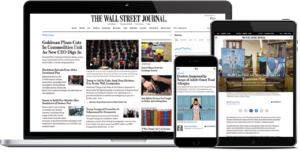
Your access will be available for the next three days.
After three days, simply come back and click the above link again and login as an existing user with the same username and password you originally created.
*If returned to the create an account page, then click on The Wall Street Journal logo and this will bring you to the WSJ.com homepage. On this page you will be logged into WSJ.com and able to explore the paper.
Accessing the Print Edition:
Under the The Wall Street Journal logo on the home page, click on Print Edition.
Click on read WSJ Print Edition.
Click on the date you would like to read.
Enter your username and click enter on your keyboard.
Enter your username and password and click enter on your keyboard.
Use the table of contents on the right side of the screen to navigate the different pages of the newspaper.
On the left side of the screen click on the article you would like to read and it will appear where the table of contents was.
In the upper right hand corner of the article you will have the opportunity to have the article read to you, to print it, to share it, or to make it smaller or larger.
To return to the table of contents click the index button in the menu on the right side of your screen.
To view a different edition click on the editions button in the menu on the right side of your screen.
To view all of the pages in the edition that you are currently browsing click on pages in the menu on the right side of your screen.
If you have any further questions, visit the library or call the Information Desk at (781) 235–1610 x1117.